
Thunderstorm for Hue
Scott DodsonEntertainment
4.394.00 Reviews
- Version
- 6.3.1
- Installs
- 10.00K
- Age Rating
- Everyone
Screenshots
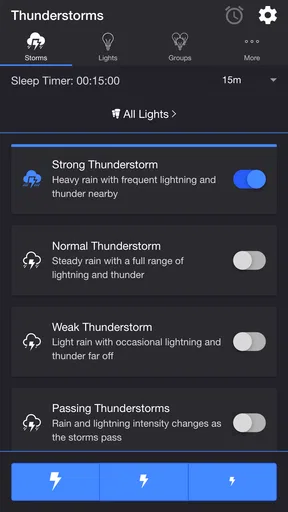
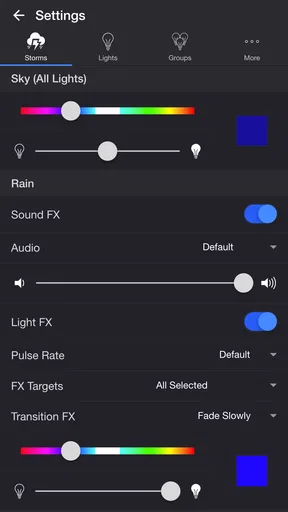
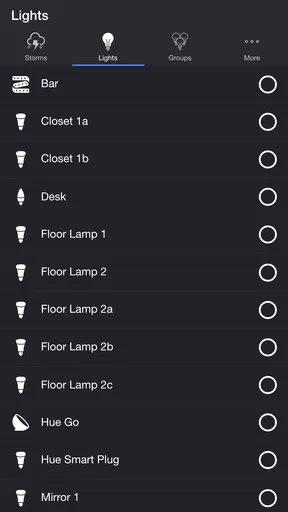
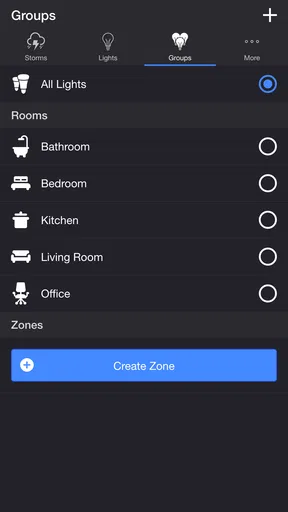
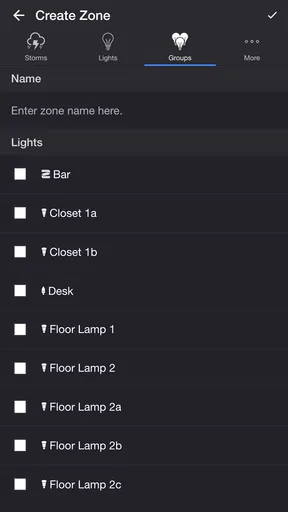
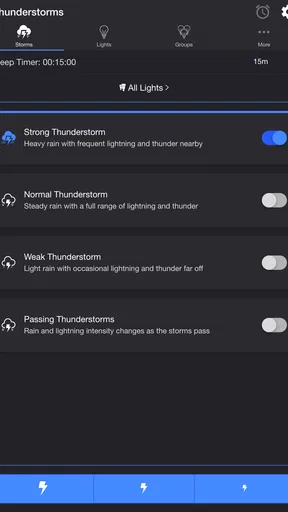
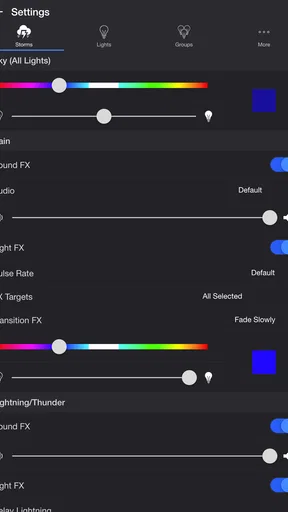
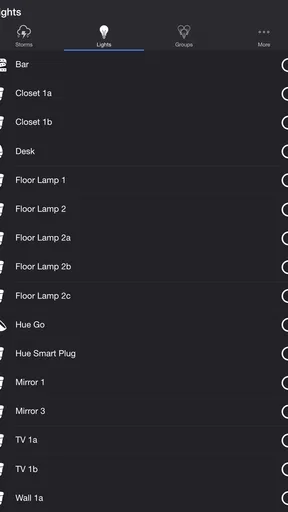
Our Review of Thunderstorm for Hue
 Analysis by Appyee
I like the idea behind a dedicated storm app: instead of asking ordinary Hue scenes to suggest weather, it uses your lights to make a room feel as if a storm is passing through. Thunderstorm for Hue is an entertainment app from Scott Dodson, and its appeal is easy to understand if you already have Philips Hue lights and want more than a static color change. It is a focused experience rather than a general smart-home controller, so I’d judge it by how well it suits a particular moment at home, not by how many unrelated tools it includes.
A focused effect for Hue owners
The basic requirement is a Philips Hue setup. If you have one, the concept is straightforward: use changing light and thunderstorm audio to create a more immersive atmosphere. That makes the app a different proposition from the Hue app’s everyday lighting controls, where the emphasis is usually on practical scenes, brightness, and color. Here, the point is to make a room feel different for a while.
I would treat it as an occasional mood-maker, not as a replacement for the lighting routines I rely on every day. A storm effect can add character to a quiet evening, a film night, or a relaxation session, but it is a specialized choice. If you rarely use changing light effects, the novelty may wear off sooner than it would for someone who enjoys building atmosphere at home.
What the current version tells existing users
The app was released on June 21, 2016, and its current version is 6.3.1. That gives Hue owners a useful point of reference: this is an established app with a current version number, rather than a brand-new experiment. The version number alone does not tell me which features changed or how the app has evolved, so I would not treat it as proof of a particular upgrade or new capability.
For someone who already owns it, the sensible question is whether the storm experience still fits their setup and habits. If it does, the specialized purpose remains clear: call it up when the room needs an atmospheric shift, then return to ordinary lighting afterward. If you are considering it for the first time, its age and version history are context, not a guarantee that every Hue configuration will behave identically.
Practical ways to use a storm effect
A useful way to try this kind of effect is to begin with one room and a modest level of stimulation. For example, I’d use the living room after dinner, keep the storm away from spaces where someone is trying to sleep, and see whether the changing light feels relaxing or distracting. That small test helps answer a real question before you build it into a longer routine: does simulated weather make your room more comfortable, or does it compete with what you are doing?
It can also work as a short break between activities. Rather than leaving a dramatic effect running while you move around the house, use it for a clearly bounded moment—settling down with a book, easing into a stretching session, or making a familiar room feel fresh for a movie. The practical trade-off is that atmospheric lighting is most convincing when you are in the room to enjoy it; it is less useful as background decoration if you are busy elsewhere.
People sharing a home should think about the sound as well as the lights. A storm that one person finds calming may be unwelcome to someone reading, sleeping, or taking a call nearby. I’d choose a room and time when the effect will not surprise anyone, and I would not assume a lighting effect alone makes a suitable sleep aid. The right use depends on personal sensitivity to thunder sounds and flashes.
How it compares with ordinary Hue scenes
Standard Hue scenes are the more practical option when you want a predictable look that is easy to reuse: a steady warm tone for the evening, for instance, or a brighter setting for chores. A storm experience has a narrower purpose. Its advantage is the sense of movement and weather-inspired drama; its disadvantage is that it is less suited to routine illumination and may demand more attention than a fixed scene.
Compared with a video or ambient-sound track, the Hue approach puts the room’s own lights into the experience instead of leaving the effect on a screen. That can feel more enveloping, but it also means the value depends on owning compatible Hue equipment and enjoying light changes in your space. If you mainly want rain audio, a sound app may be simpler. If you want reliable room lighting first, ordinary Hue controls are the better everyday tool.
The app costs $2.99, so I’d weigh that against how often I expect to use a dedicated storm effect. It is a reasonable kind of purchase for someone who already enjoys Hue experiments and wants this specific atmosphere. For a person who only wants occasional background noise, or who does not own Hue lights, it is harder to justify because the central appeal depends on the lighting setup.
Setting the Mood with Thunderstorm for Hue
Right off the bat, setting up Thunderstorm for Hue is a breeze. You’ll need a Philips Hue lighting system, of course, but once that’s in place, connecting the app is straightforward. The app is available on both Android and iOS, making it accessible to a wide range of users. After downloading, I found the interface to be refreshingly simple yet stylish. It’s pretty intuitive, which is great because nobody wants to spend ages figuring out how to use an app.
The main feature of the app is to simulate a thunderstorm using your Philips Hue lights. And let me tell you, the experience is truly captivating. The app syncs the light effects with realistic thunder sounds, creating an atmosphere that’s both calming and electrifying. Imagine sitting on your couch, closing your eyes, and feeling like you’re in the heart of a storm without the mess or danger. It’s a unique way to unwind or even add some drama to your movie nights.
Customizing Your Storm
One of the coolest aspects of the app is the level of customization it offers. You can adjust the intensity of the storm, choosing between a gentle drizzle or a full-blown tempest. The app allows you to set the duration of the storm, so whether you want a quick five-minute break or a lengthy session, the choice is yours. And if you’re into variety, the app offers different thunderstorm profiles, each with distinct light patterns and soundscapes.
Another neat feature is the ability to sync the app with multiple rooms. This means you can have a storm raging in your living room while the rest of the house stays calm, or vice versa. It’s perfect for those who want to create a specific ambiance in different parts of their home.
Perfect for Relaxation and Entertainment
I found Thunderstorm for Hue to be an excellent tool for relaxation. The gentle rumble of thunder combined with the soft glow of lights can be incredibly soothing. It’s perfect for meditation, yoga, or simply winding down after a hectic day. On the flip side, if you’re hosting a party or want to add a bit of excitement to your evening, cranking up the intensity can turn your space into the ultimate entertainment hub.
The app’s sound effects are surprisingly realistic, which adds to the overall experience. The developers have done a stellar job in creating audio that doesn’t just sound like a random loop but rather a dynamic and evolving storm. This makes the app feel more real and engaging.
Room for Improvement
While the app is mostly a joy to use, there are a few areas that could use some tweaking. For one, the app occasionally lags when adjusting settings, which can be a bit frustrating if you’re trying to fine-tune your storm quickly. Additionally, while the app's sound effects are great, having more variety in the soundscapes would be a welcome addition. A few more natural sounds like rain hitting a window or wind rustling leaves could enhance the experience further.
Lastly, a feature that allows integration with smart assistants like Alexa or Google Home would be fantastic. Voice control could make the app even more convenient, allowing users to adjust the storm without having to reach for their phones.
The Final Verdict
All in all, Thunderstorm for Hue is a delightful app that brings an innovative twist to home lighting. It’s perfect for anyone looking to escape into a different world right from their living room. With its easy setup, customizable options, and realistic sound effects, it’s an app that’s worth checking out if you own a Philips Hue system.
Whether you’re seeking relaxation or entertainment, this app offers a unique and immersive experience. While there’s always room for improvement, the current features are more than enough to keep most users engaged and satisfied. So, why not give it a try and let your imagination run wild with the next thunderstorm?
Who is likely to enjoy it
The strongest audience is someone who already has Hue lights, likes experimenting with room atmosphere, and can name a few occasions when a storm effect would be welcome. It is also a better fit for people who enjoy controlling the mood directly than for those who want a fully automatic smart-home routine. If your preferred lighting is steady and functional, the core experience may feel more like a novelty than a daily tool.
I’d be cautious about choosing it for a room used by several people with different routines. A dramatic flash or thunder sound can interrupt concentration, and a relaxing effect for one person may be uncomfortable for another. It is also not the right pick if you are looking for general nature ambience, a broad collection of soundscapes, or a substitute for Hue’s normal controls. Its appeal is specifically the storm atmosphere paired with Hue lighting.
Small choices that improve the experience
For a more comfortable first session, I’d start with the lights in the room where I plan to stay rather than activating the whole home. Multiple-room control can be useful, but it also raises the stakes: a storm in a hallway or bedroom may be distracting when nobody is there to enjoy it. Keeping the effect local makes it easier to judge the balance and prevents the rest of the household from becoming part of the experiment.
I’d also decide in advance whether the purpose is relaxation or entertainment. A subdued setting makes more sense for winding down, while a stronger effect suits a short, playful change of mood. Trying to use one setting for both can lead to a mismatch: an intense storm may be too stimulating for meditation, while a gentler one may disappear into the background during a lively gathering. The flexibility is useful precisely because the setting should serve the moment.
One practical trade-off is that moving between this app and everyday lighting controls can make the experience feel less seamless than a single all-purpose Hue routine. I would use the storm when I want a deliberate event, then switch back to a familiar scene when the activity is over. That framing keeps the app’s focused design from becoming a drawback and avoids expecting it to manage the rest of a smart home.
What to consider before choosing it
The app is rated for Everyone, and it has a 4.3 average from 211 ratings, with 10K+ installs. Those figures suggest that it has found an audience among Hue users, but they do not answer the personal question that matters most: whether you will enjoy changing lights and storm audio in your own room. I’d think about that preference, the people sharing the space, and how often I would realistically start the effect before paying for it.
On Android, the listed minimum operating system is version 7.0. That makes the platform requirement worth checking before installing, especially if you use an older device. The key setup consideration remains the Hue system itself: this is not a standalone weather display or a general sound player. If your goal is simply to hear rain, another option may be more direct; if your goal is to make Hue lighting part of an atmospheric scene, this app has a much clearer reason to exist.
For existing owners, I would watch for how the app fits into changing Hue setups and whether its controls continue to feel responsive in actual use. The current version is 6.3.1, but a version number by itself does not tell users which changes have arrived or what might come next. I would judge any future change by the practical details: whether it makes starting a session smoother, gives users more useful control over the mood, or addresses the lag and sound variety that can affect enjoyment.
My overall view is that this is a narrowly defined but appealing entertainment app. It makes the most sense when you treat the storm as a deliberate experience, not as the default way to light a home. If you own Hue, enjoy atmospheric effects, and can use it in a room where flashing light and thunder audio are welcome, the $2.99 price may be worthwhile. If you want dependable everyday lighting, voice-led control, or a broad library of ambience, I’d choose a more general option instead.
Verdict
Strengths of Thunderstorm for Hue
- Seamless integration with Philips Hue.
- Dynamic lighting effects enhance ambiance.
- User-friendly interface for easy setup.
- Customizable themes for personal preferences.
- Real-time weather synchronization.
Limitations of Thunderstorm for Hue
- Limited to Philips Hue users only.
- Requires constant internet connection.
- Battery drain on mobile devices.
- No support for other smart bulbs.
- Subscription needed for premium features.
Similar Picks in This Category
View All
Google Play Games
Google LLC3.9

Netflix
Netflix, Inc.4.8

YouTube Kids
Google LLC4.2

Disney+
Disney4.4

Prime Video
Amazon Mobile LLC4.7

Steam
Valve Corporation3.2
Frequently Asked Questions
What is Thunderstorm for Hue and how does it work?
Thunderstorm for Hue is an interactive app designed to simulate a thunderstorm experience using Philips Hue lights. By syncing your Hue lights with the app, you can create immersive lightning and thunder effects in your home. The app uses your device's microphone to detect ambient sounds, enhancing the realism of the experience.
Is Thunderstorm for Hue compatible with all Philips Hue products?
Thunderstorm for Hue is designed to work with most Philips Hue products, including bulbs and light strips. However, compatibility may vary based on the model and firmware version of your Hue devices. It’s recommended to have the latest updates for both the app and your Hue system to ensure optimal performance.
Does Thunderstorm for Hue require any additional equipment or subscriptions?
No additional subscriptions are required to use Thunderstorm for Hue. However, you will need a Philips Hue Bridge and compatible Hue lights to use the app. The app itself may have a one-time purchase cost or offer in-app purchases for additional features or effects.
Can Thunderstorm for Hue be customized to create different storm experiences?
Yes, Thunderstorm for Hue allows users to customize their storm experiences. You can adjust the intensity and frequency of lightning strikes, the duration of the storm, and even the types of thunder sounds. This flexibility lets you create anything from a gentle rainstorm to a full-blown thunderstorm.
Is Thunderstorm for Hue safe to use for extended periods?
While Thunderstorm for Hue is safe to use, it’s recommended to use the app in moderation to avoid potential light-induced discomfort. Users should ensure their Philips Hue lights are properly installed and not left running at high intensity for extended periods. If any discomfort occurs, reduce the intensity or take a break from the storm simulation.
